📝 Meta-Arguments in Terraform 🚀
Day 69 : #90DaysOfDevOps Challange

Passionate about building secure, scalable cloud environments. I specialize in AWS & Azure, with hands-on experience in DevOps automation, Python scripting, and infrastructure as code using Terraform.
Currently working in Cloud Security, where I focus on securing cloud-native architectures, implementing security best practices, and automating compliance workflows.
Always open to collaborating on innovative cloud projects that blend automation, security, and performance.
In Terraform, when you define a resource block, it typically represents a single resource to be created. However, there are situations where you may need to manage multiple instances of the same resource without duplicating code. This is where meta-arguments such as count and for_each come into play. These meta-arguments help simplify your code, reduce overhead, and allow for more efficient management of resources. Let's dive into these concepts and explore their practical use in Terraform.
Count: Managing Multiple Instances
The count meta-argument is a powerful feature in Terraform that allows you to create multiple instances of a resource based on a specified count. Each instance will have its own distinct infrastructure object associated with it, enabling individual management of resources. This is particularly useful when you want to create a set number of identical resources.
Let's look at an example using the aws_instance resource:
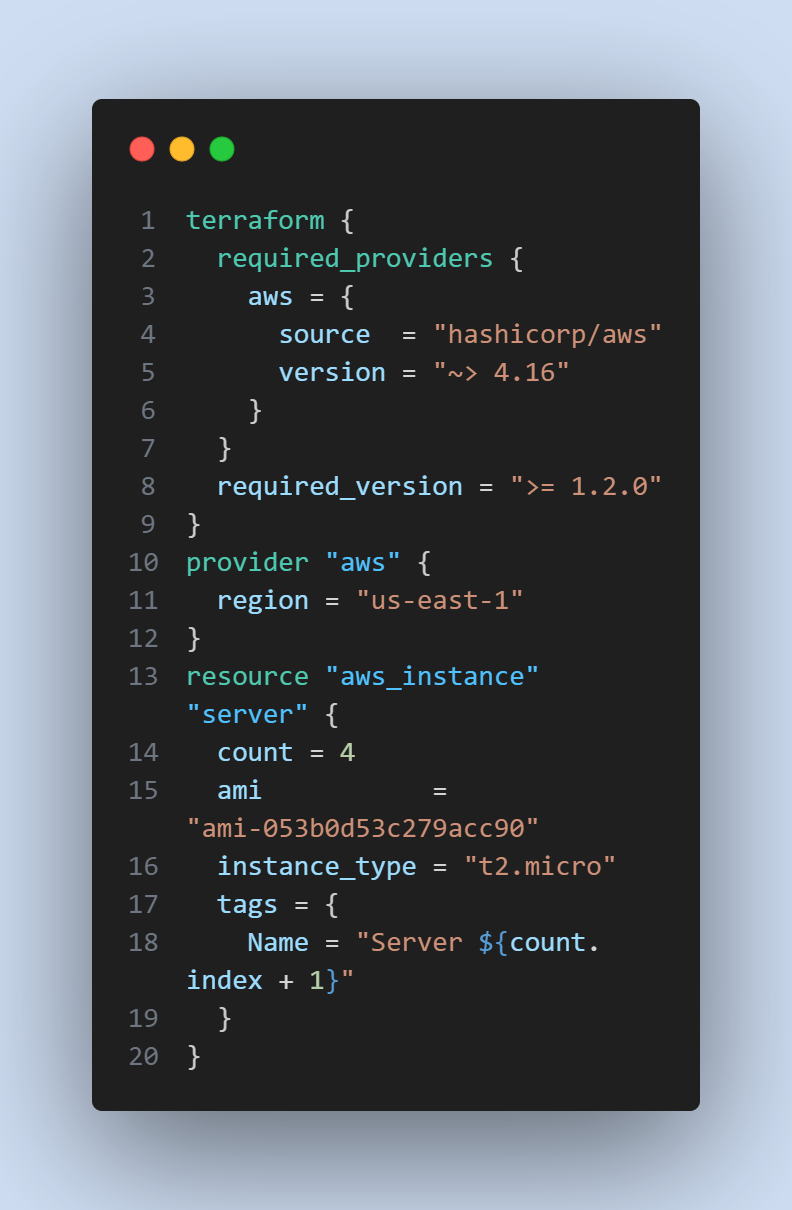
In this example, we use count = 4 to create four instances of the aws_instance resource. Each instance will have a unique name based on the count.index value, which starts from 0. The resulting infrastructure will include four separate instances that can be managed individually.
For_each: Managing Resources with Different Values
While count is useful for creating multiple instances of identical resources, the for_each meta-argument comes in handy when you need to manage resources with different values. Instead of specifying a count, for_each accepts a map or a set of strings, allowing you to create resources with varying attributes.
Let's consider an example where we need to create different instances of the aws_instance resource using different Amazon Machine Image (AMI) IDs:
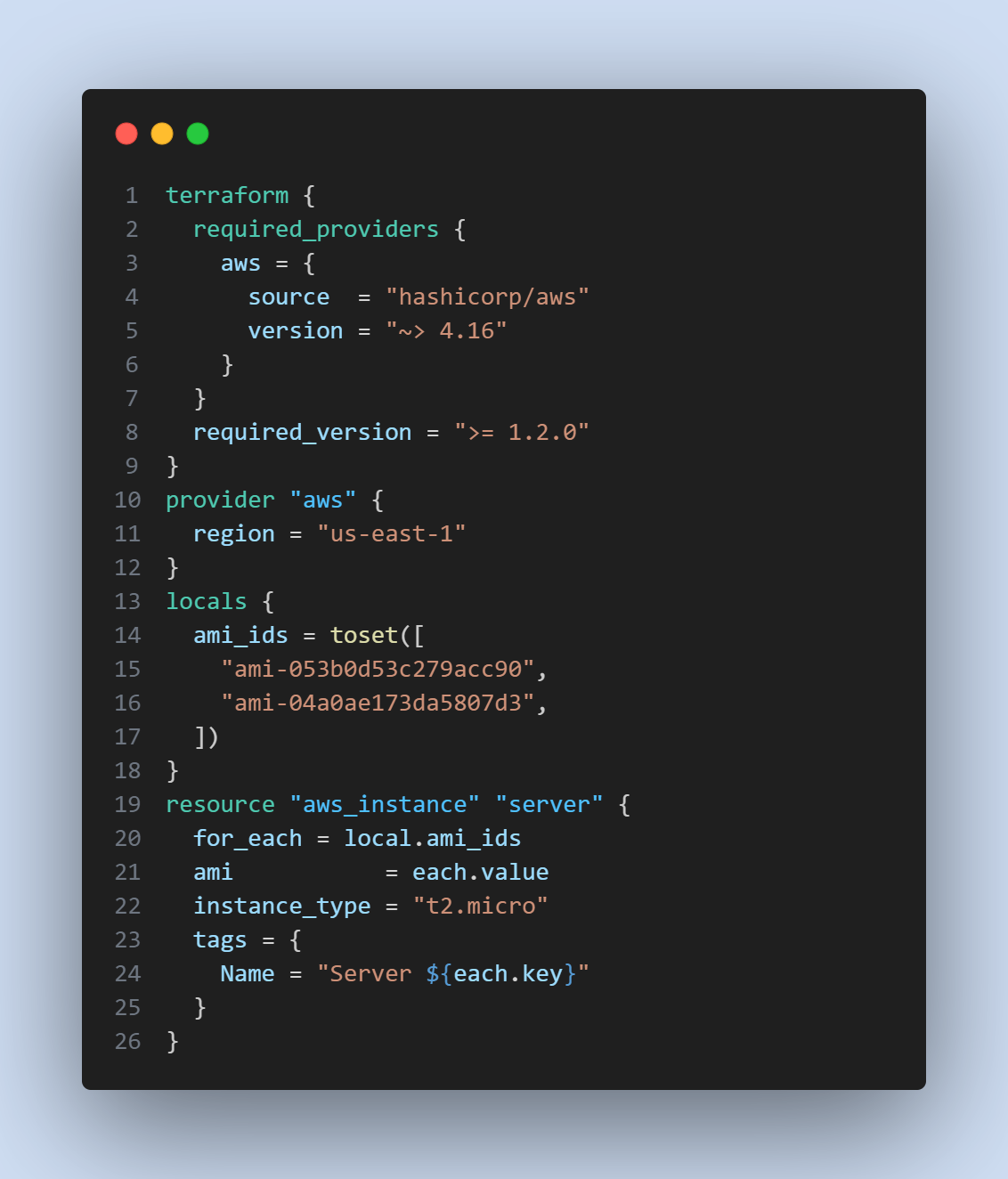
In this example, we define a local variable ami_ids as a set of two different AMI IDs. By using for_each = local.ami_ids, Terraform will create two instances of the aws_instance resource, one for each AMI ID. Each instance will have a unique name based on the each.key value, which corresponds to the key in the ami_ids map.
Alternatively, if you have a map with multiple key-value pairs, you can iterate over them using the `for_each
` meta-argument like this:
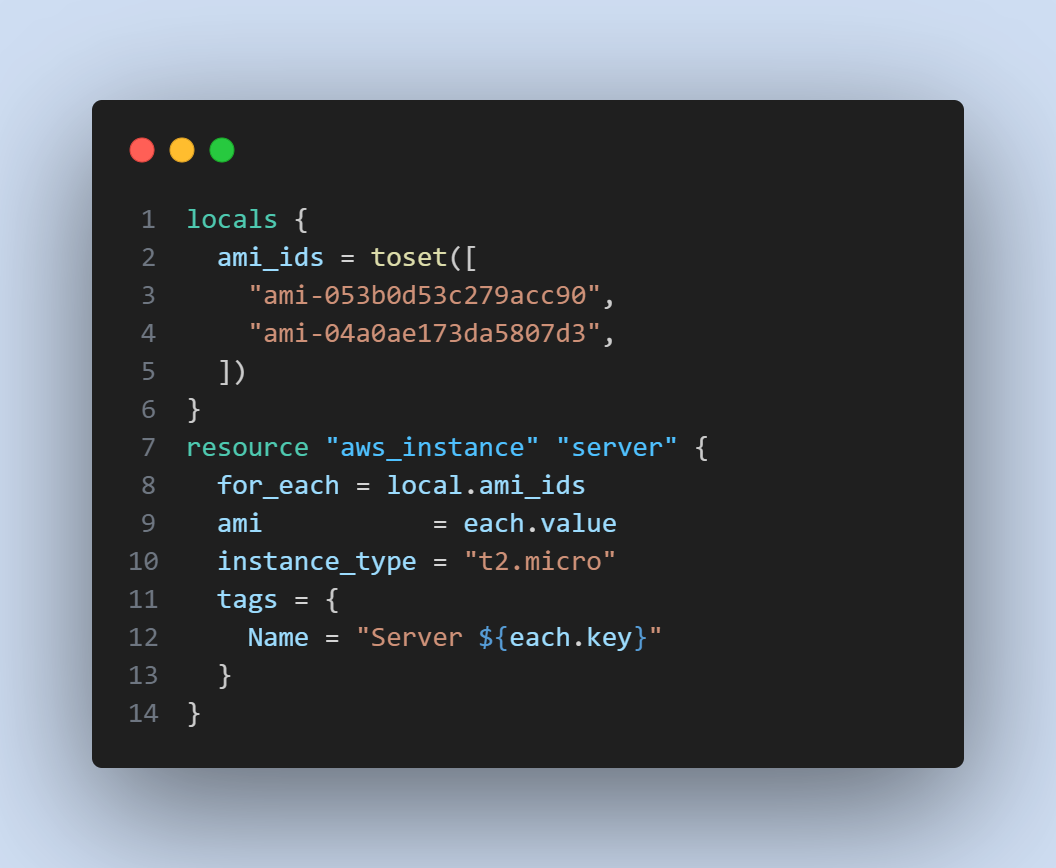
In this case, Terraform will create two instances of the aws_instance resource, using the AMI IDs specified in the map. The resulting infrastructure will consist of resources named according to their respective keys.
Task-01: Demonstrate the Use of Count and for_each
To demonstrate the use of count and for_each, follow these steps:
Set up your Terraform configuration with the appropriate provider and version constraints.
Copy the code examples provided above into your Terraform files.
Run
terraform initto initialize the Terraform environment.Run
terraform applyto create the infrastructure based on the configuration.Observe how Terraform creates the specified number of instances using
countorfor_each.To manage these instances individually, you can use the respective keys or indices provided by
countorfor_each.
By completing this task, you will have a practical understanding of how to leverage count and for_each meta-arguments in Terraform to manage multiple instances of resources efficiently.
🌟 Happy learning and Terraforming! 🚀🌍✨


